DELR - Delivery Routes
Overview
Setups
Add Invoices to Routes
Print Open Routes (Close Manifests)
Search and Display Routes
Reports
OPA Shiptrack
Search and Display Routes
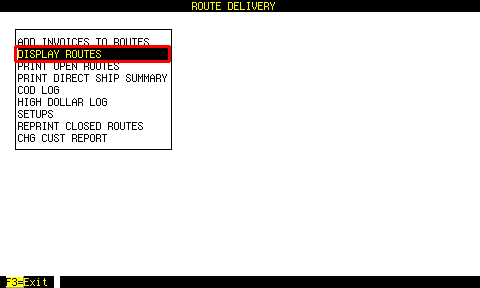 From the first menu, highlight DISPLAY ROUTES and press [ENTER].
 Enter search criteria here, then press [F3].
Press [F3] with no criteria to find all routes.
 In this screen, Out of town simply means it is part of DELR.
If not Out of town, it is from the program DELM (Delivery Manifest), which is intended for in town deliveries.
Highlight a route, and press [F2] or [ENTER].
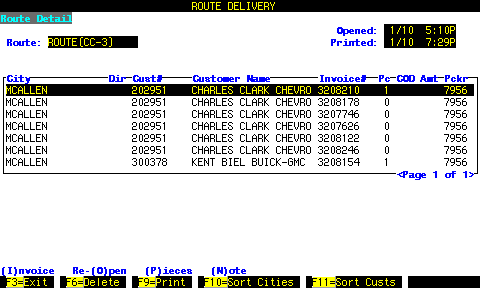 The invoices with zero pieces are small shipments that were shipped together with another piece for the same customer (all in one box).
