WPAR - Warranty Parts
UCOR - Used Cores
Flow
Setup
Start / Stop Background Process
View Outstanding / Turn In Cores
Search
Start / Stop Background Process
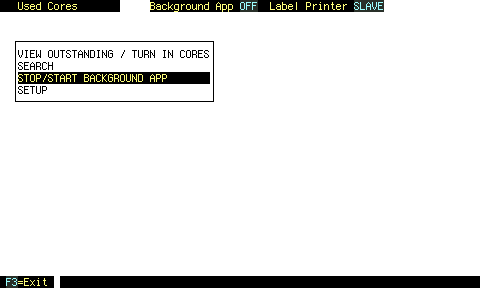
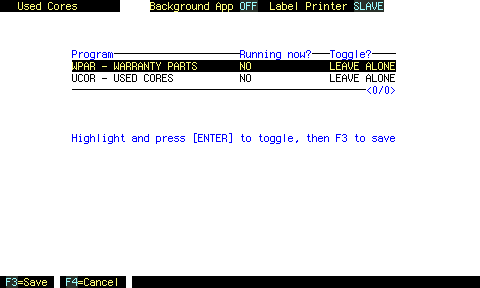 UCOR shares this screen with WPAR.
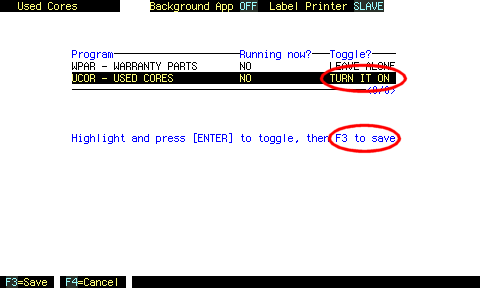 Arrow up and down and press ENTER to turn the background process for each program on or off.
Then press F3.