SPIN - Spreadsheet Invoicing
Prepare Spreadsheet
 Have a spreadsheet ready with the part numbers in the left-most column and the quantities in the 2nd column.
These 2 columns are the minimum information for SPIN.
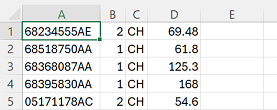 If SPIN will be adding parts to file, column C should have the manufacturer abbreviation. This along with a table set up by Rex tells SPIN what source to put the part numbers in.
Values in column D are sell price overrides. They need to be formatted as shown here, with no dollar signs, formulas, etc.
Save the file as (comma delimited)(.csv) with the name SPIN.
Log in to FIXEDFOCUS
 Click on SPIN, then click on Choose File. Select the SPIN.csv file and click on Upload file.

 Run SPIN on the DMS. It displays the date and time and first few rows of the uploaded file to confirm it is the right one.
Overrides
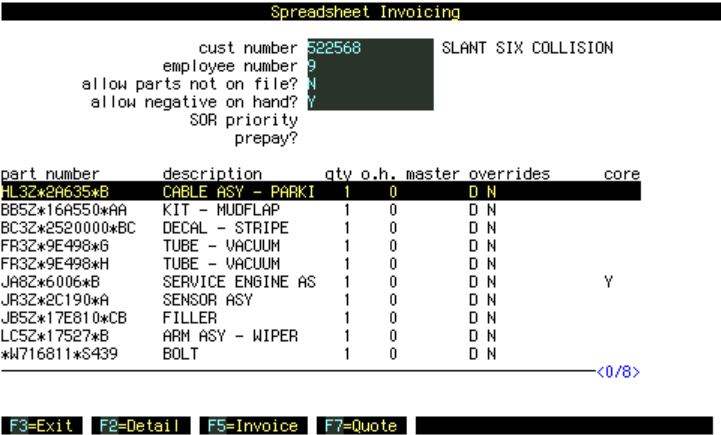 Arrow down until a part number is highlighted. Press F2. Overrides are
D Drop Ship
N No History
S=xx
C=xx
L=xx
You can have more than one override, separated by a space, as shown here with both D and N.
Enter overrides on one part number. The same override will apply to the whole list.