Import an Order from spreadsheet
Export an Order to a spreadsheet
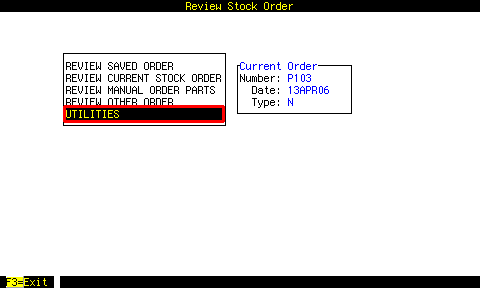


Example 1:
|
Select the appropriate sources.
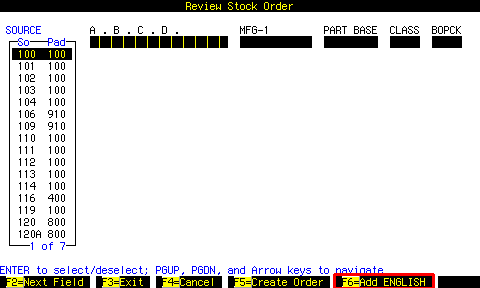
Using ENGLISH |
Press F6 to use ENGLISH for the selection.
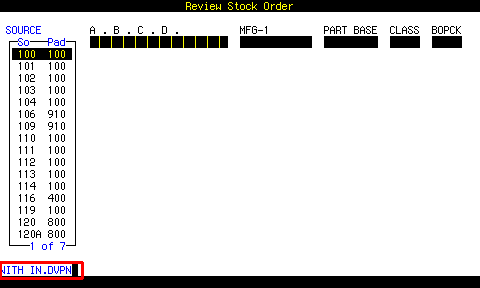
Example 2:
|
The program prompts WITH and you type IN.DVPN which is a dictionary item that finds part numbers in the Delco Vendor file created with DEVE.
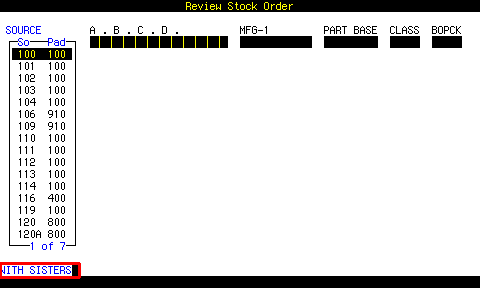
Example 3:
|
The program prompts WITH and you type SISTERS which is a dictionary item that finds part numbers in the OLDPARTS files.
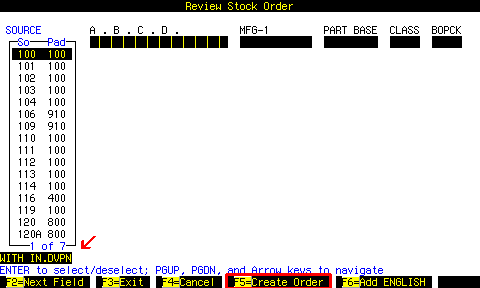
Creating the order |
Press F5 to create the order.
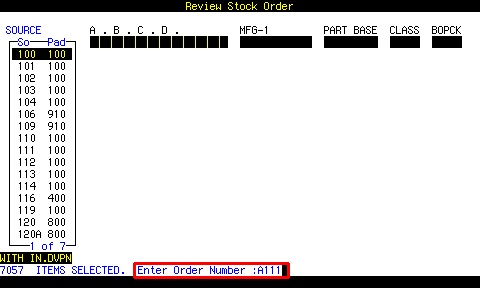
 Selecting
suggested order only
calculates BSL - O.H. - O.O.
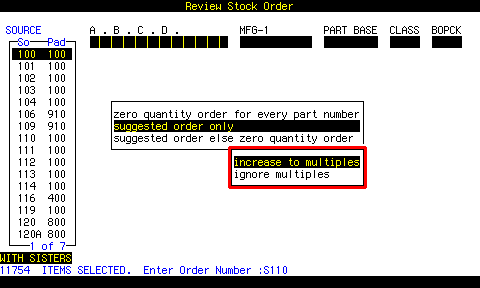 Select whether you want to upgrade the quantities to MULTs.

Import an Order From a Spreadsheet
 Login to:
https://powerprograms.com/fixedfocus/
Click on the RVST box.
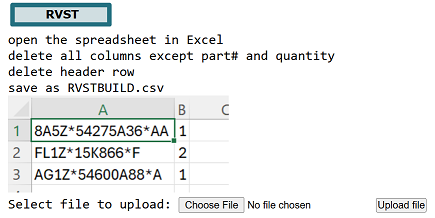 Setup the spreadsheet like this and upload it.
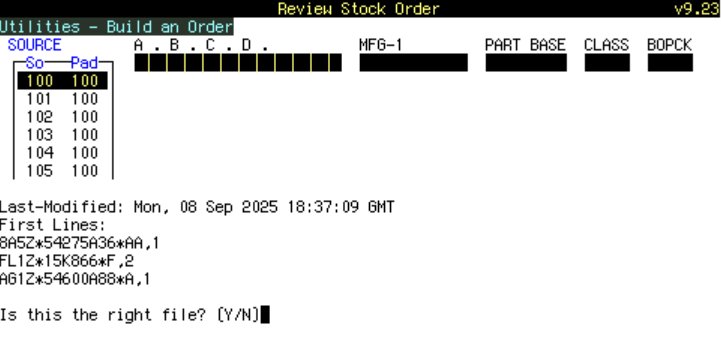
 From the BUILD AN ORDER screen ( RVST | UTILITIES | BUILD AN ORDER ),
press F8.
From the BUILD AN ORDER screen ( RVST | UTILITIES | BUILD AN ORDER ),
press F8.
Export an Order To a Spreadsheet
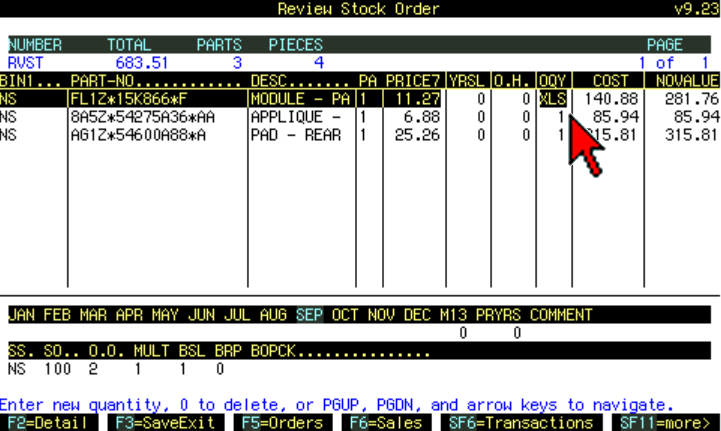 Bring up the order in the review screen.
Type XLS at the cursor where you would type in a new quantity, and hit ENTER.
It prompts for an email address, and sends it.
